

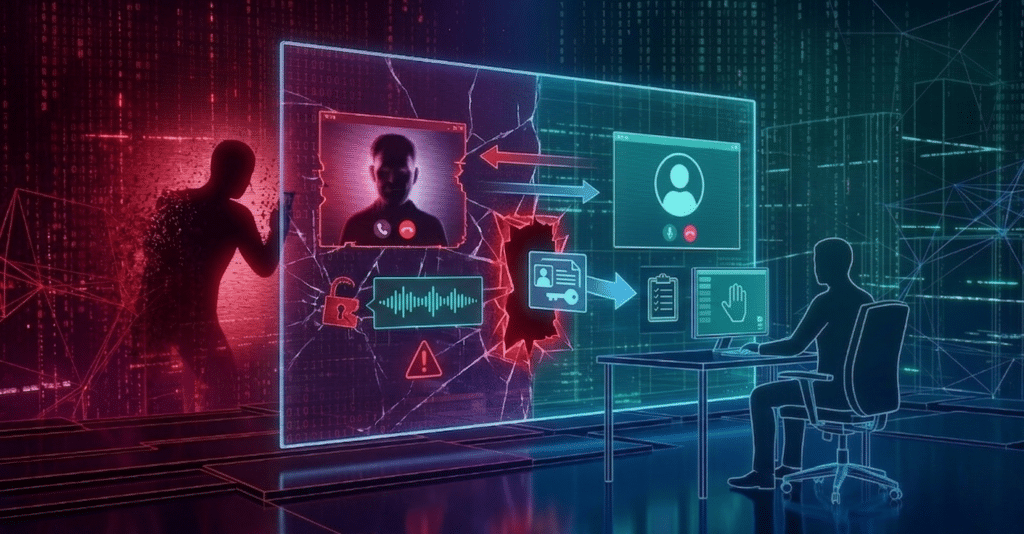
A rapidly escalating threat is reshaping the way organizations think about security; one that doesn’t rely on breaking systems, but on manipulating people. CyOps threat operations unit continues to see a rise in this activity, specifically known as “Teams vishing.” This social engineering technique exploits user trust to infiltrate corporate environments with alarming speed and efficiency.

Rather than targeting technical vulnerabilities, attackers pose as trusted internal figures, most often IT support staff, to persuade employees to grant remote access to their devices. What follows can unfold in minutes: once inside, attackers establish persistent control and begin executing malicious activity, often before traditional defenses have a chance to respond.
The combination of simplicity, low cost, and an ability to bypass conventional security measures has made Teams vishing an increasingly attractive tactic for threat actors and a significant risk for organizations. Read more to understand the evolving stages and additional indicators of compromise (IOCs) to better strengthen and defend your environment.
Attack stages
Email Bombing
In some cases, the attacker’s initial attack stage is performing Email Bombing on targeted users, subscribing them to a large number of legitimate sites and/or services causing the flooding of the user’s mailbox with registration and password reset emails.
This allows the attacker the “legitimacy” of directly contacting the user, lowering their guard.
Teams Vishing
The attacker contacts the targeted user via Teams from an external domain, using a display name that impersonates the IT/Helpdesk department (ex. “IT Support”, “Helpdesk”), trying to convince the user to allow them remote access to their machine to “fix” the issue.
It has been observed that attackers favor using a “*.onmicrosoft.com” subdomain, which is a legitimate Microsoft domain that is given to users when they purchase a subscription to Office 365 for Business.
Attacker call display names
- help desk
- Help Desk
- IT Support🛡️ | Corporate IT Service 🛠️ (Internal)
- IT Assistance
- IT Support
Attacker’s Domains
- corporate@ITElectronicsHelpDesk[.]onmicrosoft[.]com
- Services@HelpDeskEngineeringIT[.]onmicrosoft[.]com
- ithelpdesk@DailyExternalSystem[.]onmicrosoft[.]com
- Support@sunfornia[.]onmicrosoft[.]com
- Corporate@HelpDeskWindowsFamily[.]onmicrosoft[.]com
- Service@HelpDeskToolPC[.]onmicrosoft[.]com
- IT@HelpDeskEngineeringIT[.]onmicrosoft[.]com
- Service@MacBookHelpDesk[.]onmicrosoft[.]com
RMM
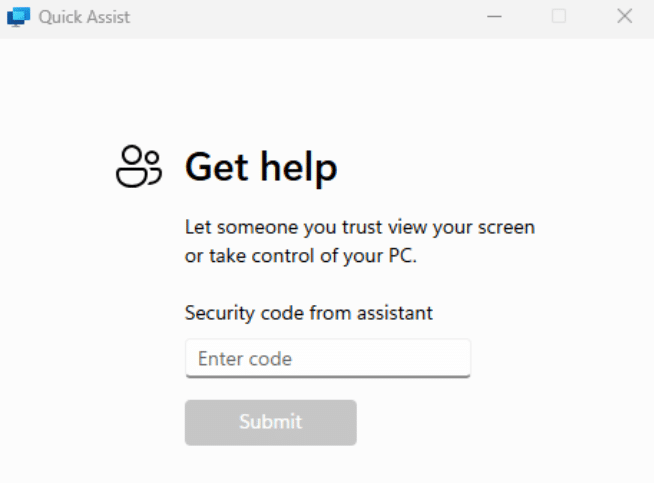
The attacker then instructs the user to allow them remote access to the machine. The CyOps Team has observed the usage of Quick assist and Anydesk in these campaigns. Quick Assist seems especially favorable by attackers, as it is built-in on Windows and avoids instructing the user through the download of additional applications on the machine and risking raising suspicion.
Execution of malicious code
After gaining access, the attacker proceeds with the dropping and execution of malicious files, usually resulting in the installation of a backdoor that will allow the attacker full, persistent access to the compromised machine.
Among the installation methods observed, DLL sideloading and DLL proxying proved prevalent.
Data reveals that the duration of such attacks can be as short as 3 minutes from the start of the conversation to the compromise of the host. Additionally, it shows that attackers can target as few as 2 users before landing a successful attack.
This highlights the ease with which attackers can manipulate victims, ultimately achieving initial access to an organization’s network without a single password cracked, or application vulnerability exploited. This Low cost-high reward approach is steadily gaining more traction by threat actors in recent months.
IOCs
| Filename | SHA256 | Description |
| Wer.dll | 0015d41c98a49b31e727a350f5de213fbda3e3e56f6dd3791709e74233559c17 | Backdoor |
| vcruntime140_1.dll | 0b01978b494f7064bc8417a02f86fd1ca183022323198ff1d9280ff4335d34e7 | Backdoor |
| werfault.exe | 9B500FB3B236DEEA6B11A20CC3F2CBD737E842E4C7AEEAF3CF2F6E6BE6AF7411 | Legitimate Executable used for DLL sideloading |
| ADNotificationManager.exe | c10e144c25c1bac0692ed0b31dd626ab9195c5285b82430371a4ecdbd6d7f3fd | Legitimate Executable used for DLL sideloading |
| Indicator | Type | Description |
| 193.203.49[.]62 | IP | C2 |
| 5.34.178[.]189 | IP | C2 |
Why this matters to MSPs
The simplicity of the attack chain is another example of how threat actors abusing “trust”. Teams vishing is particularly dangerous for the MSP model because it weaponizes the helpful, “always-on” relationship you strive to build with your clients. If a client’s employee is conditioned to follow instructions from “IT,” they become the weakest link in a chain you are paid to secure. A single successful session can lead to ransomware deployment or lateral movement across a client’s network, resulting in financial loss, legal liability, and reputational damage.
From our previous blog tracking this campaign, the best practices remain the same:
- Review Microsoft Teams external access settings: many organizations have external contact enabled by default, and for many the right posture is to require approval before external parties can initiate contact.
- Expand security awareness training: ensure training goes beyond email phishing to include social engineering through collaboration platforms, including realistic simulations involving voice and video calls.
- Monitor end-user deployment of remote access tools: even legitimate tools like QuickAssist should trigger alerts and require validation before proceeding.